
Dog FightS
A downloadable game for Windows
Dog FightS
Ram your rival. Master your drift. Fight to stay in the arena.
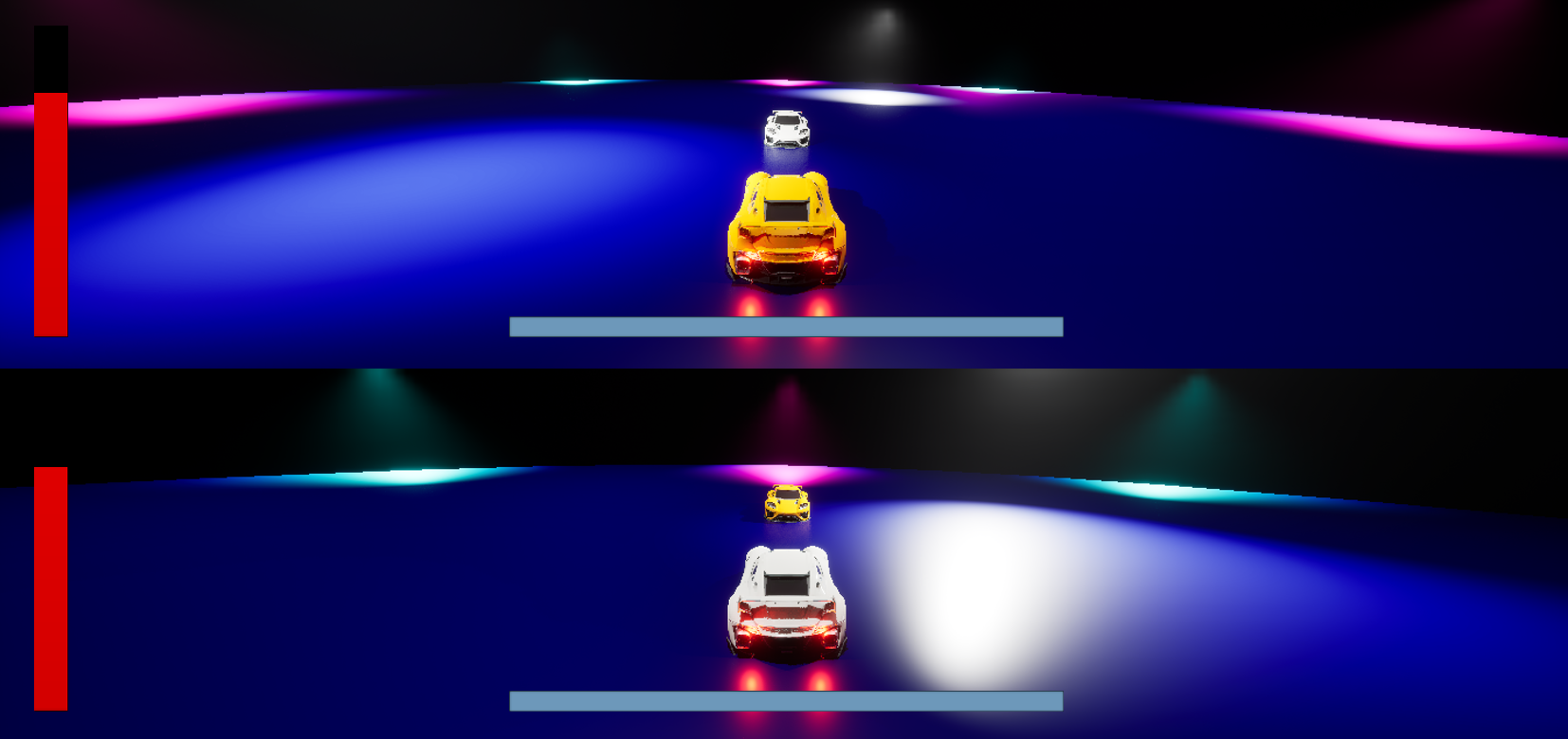
Dog FightS is a local split-screen vehicular combat game where two cars face off in a circular arena. Your goal is simple: use speed, drifting, boosts, and collisions to knock your opponent off the edge and be the last car standing.
-Fight for Control
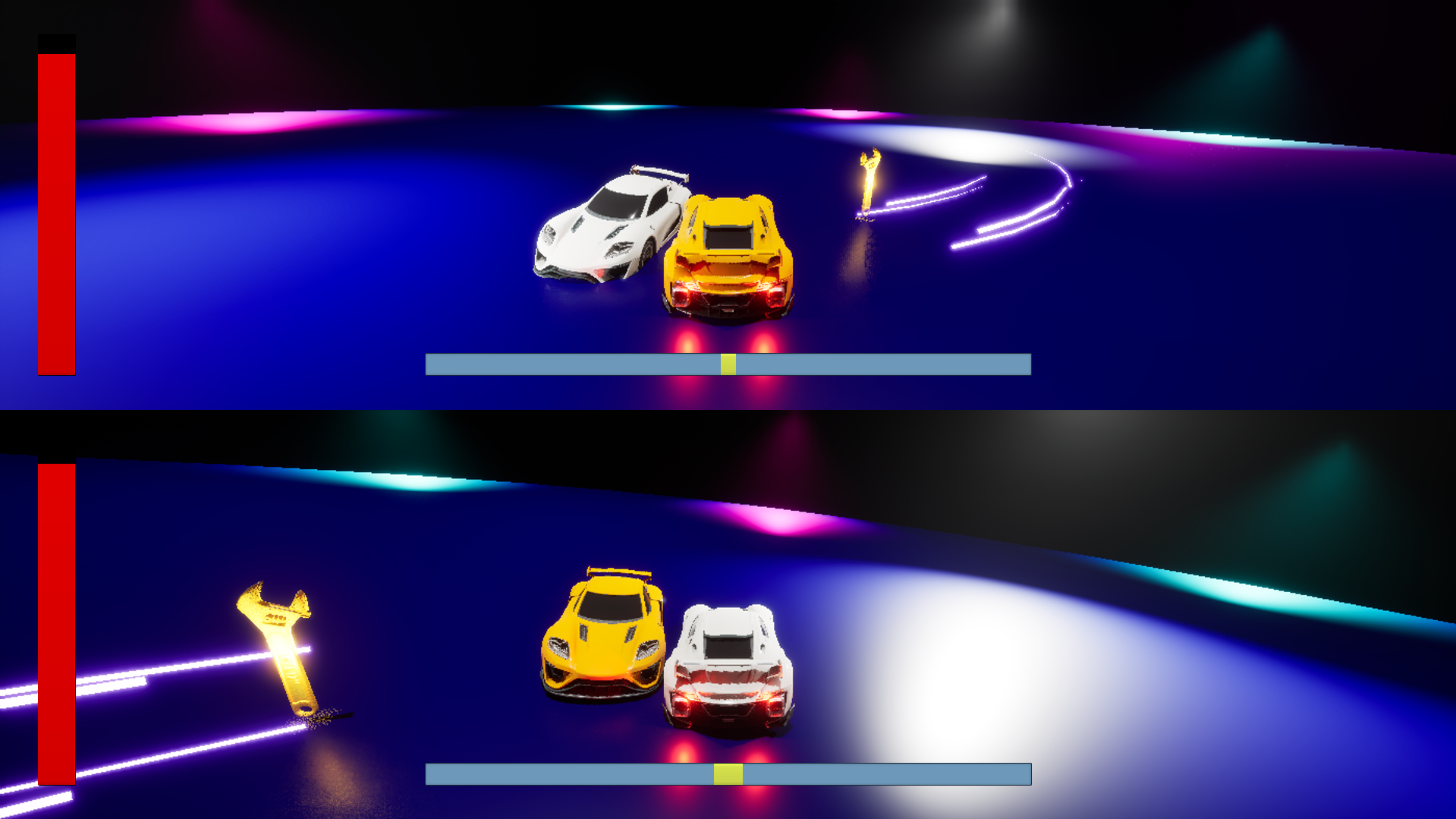
Every collision matters. The direction and speed of an impact affect your opponent's stability, so positioning and timing are just as important as raw speed. Hit the right spot, build up their instability, and take advantage when they lose control.
-Master Your Mechanics
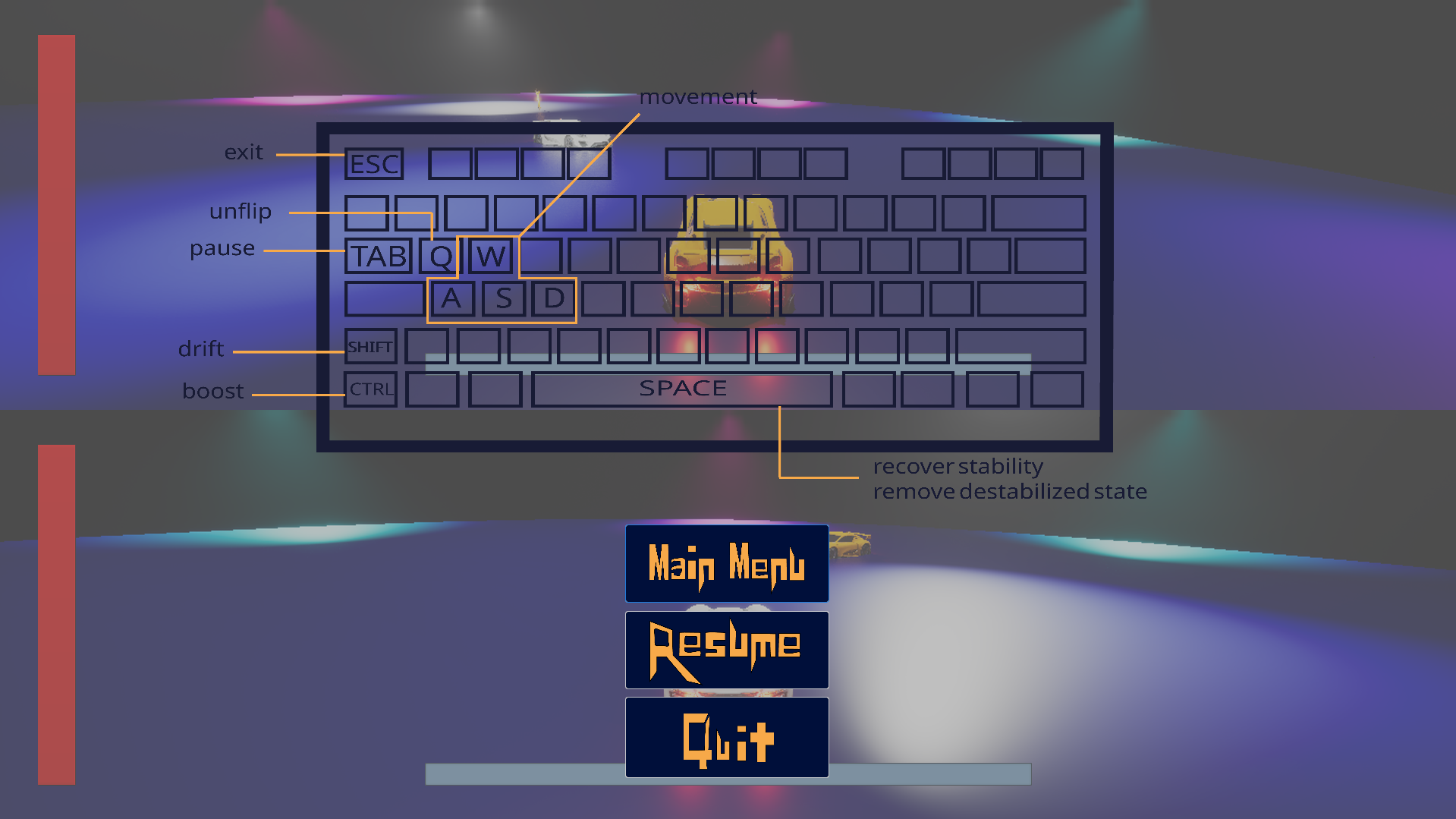
- Acceleration & Reverse: Control your movement and position yourself for the perfect hit.
- Drifting: Steer around the arena and set up devastating collisions.
- Boost: Burst forward to gain speed and increase the impact of your attacks. Manage your boost bar carefully.
- Stability: Impacts increase your instability. Recover before you become too vulnerable, or risk being knocked out by the next hit.
- Unflip: Get back on your wheels when a collision turns you upside down, before your instability spirals out of control.
- Arena Pickups: Collect items that spawn around the arena to recover stability or replenish your boost.
-The Arena Won't Wait
The circular arena gradually shrinks, leaving less room to maneuver and making every collision more dangerous. Stay alert, adapt your strategy, and force your opponent into a mistake before the arena becomes too small!
-One Arena. Two Drivers. One Winner.
Challenge a friend and prove that you have what it takes to stay in the fight.
Can you knock your rival out before they knock you out?
Download
Install instructions
Download & Installation
- Download the game and extract the ZIP file to a folder on your PC.
- Open the extracted folder and run
DogFightS.exeto launch the game. - Keep all the extracted files and folders together. Do not move the executable out of its folder.
Platform: Windows PC.
How to Play
Dog FightS is a local multiplayer game for two players on the same PC.
- Player 1: Keyboard
- Player 2: Controller
This game requires both players to play on the same PC in split-screen mode.
Playing Remotely with Parsec
Can't play on the same PC in person? You can use Parsec to play together remotely.
One player hosts the game on their PC and launches Dog FightS. The other player connects through Parsec and joins the local multiplayer session. Since the game runs on the host's computer, both players need a stable internet connection for the best experience.
Make sure the remote player's controller or keyboard inputs are configured correctly in Parsec.
Using a PlayStation Controller
Dog FightS uses Xbox controller inputs. If your PlayStation controller isn't recognized correctly, you may need DS4Windows to emulate an Xbox 360 controller.
- Download DS4Windows from its official GitHub repository.
- Connect your PlayStation controller to your PC.
- Open DS4Windows and configure the controller to emulate an Xbox 360 controller.
- Keep DS4Windows running while playing.
Other controllers may work without additional software, depending on their compatibility with the game.
Have fun, and try not to be the first one knocked out of the arena!
Leave a comment
Log in with itch.io to leave a comment.